 TMSoft
TM Studio Recipe Costing
Know what every dish really costs.
Recipe costing, pricing and invoicing for restaurants, cafes, bakeries and confectioners. Built for a real working kitchen, and it runs on your own PC.
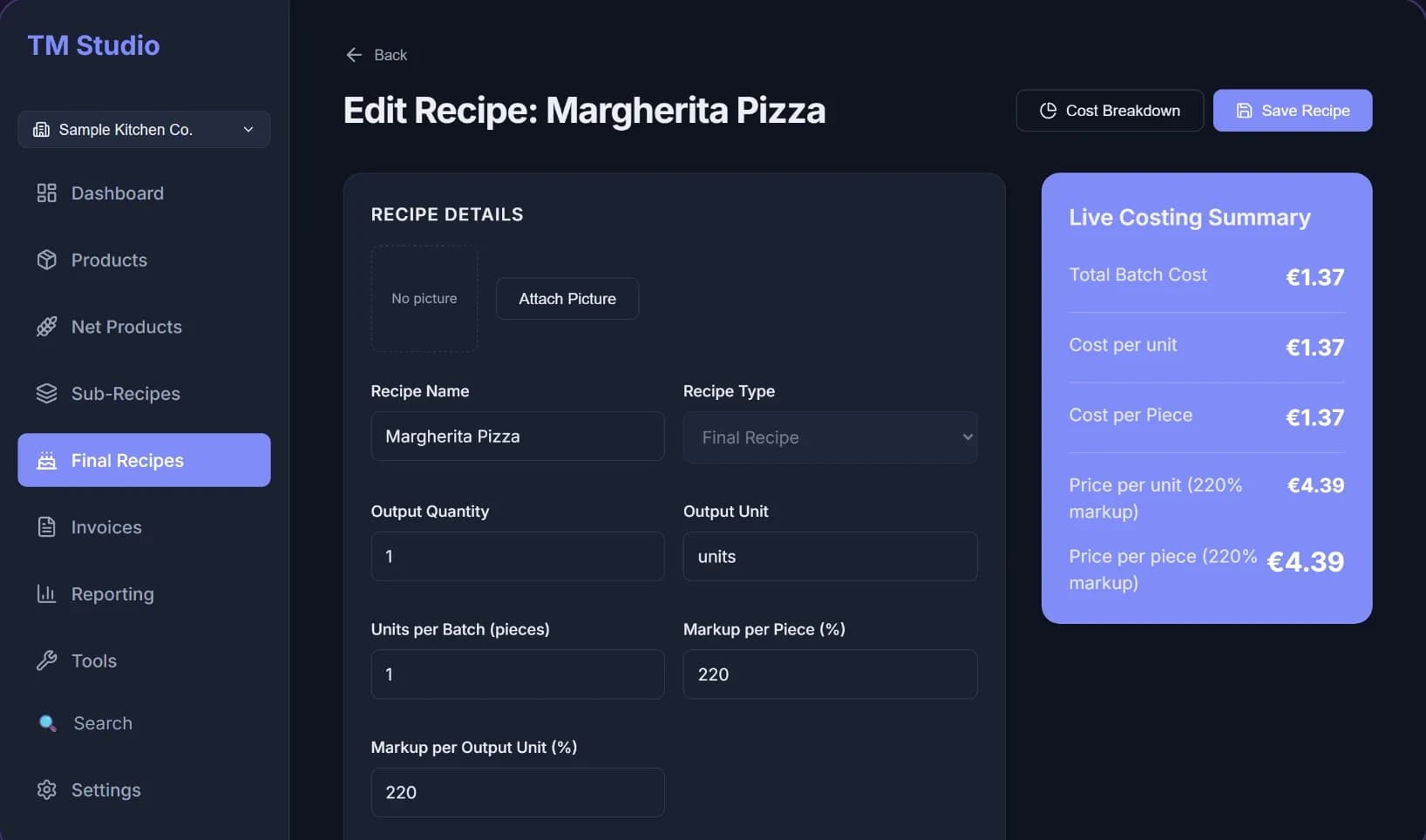
Price with confidence
Sell the same recipe by the piece or as a whole batch, each with its own margin. Update markups in bulk when supplier prices shift, and give wholesale customers their own pricing.
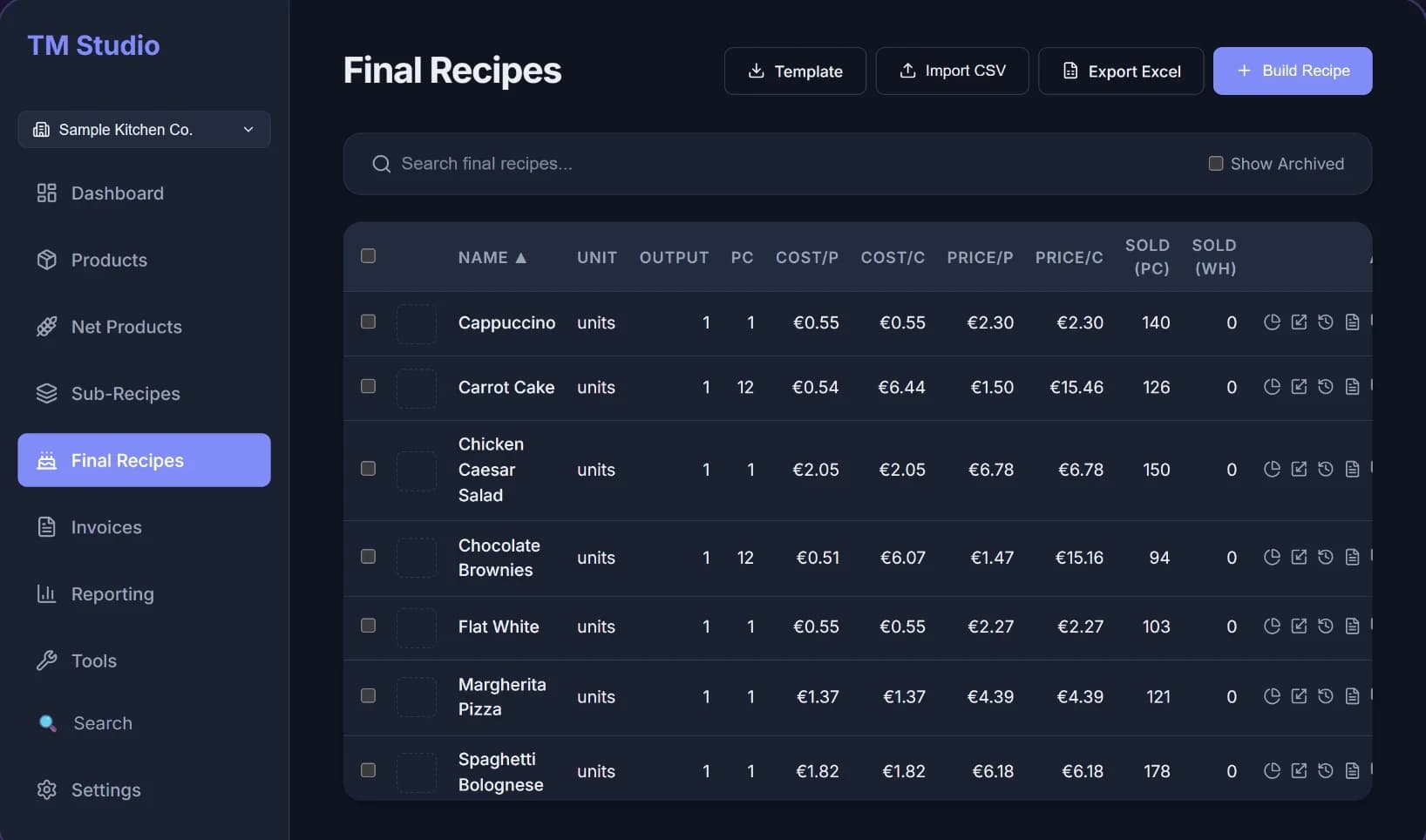
Invoice and get paid
Create invoices with VAT, drafts and partial payments, plus receipts and credit notes. They print as PDFs with your logo and bank details.
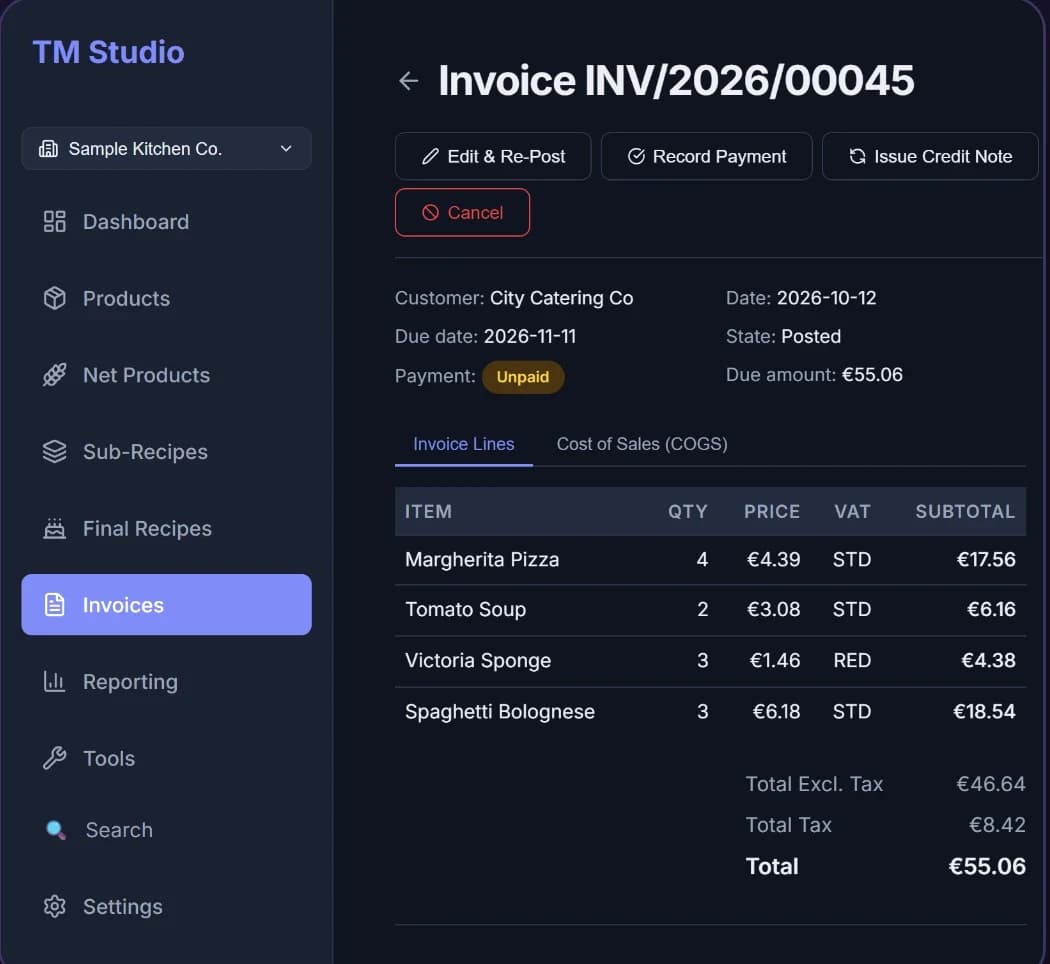
See the numbers that matter
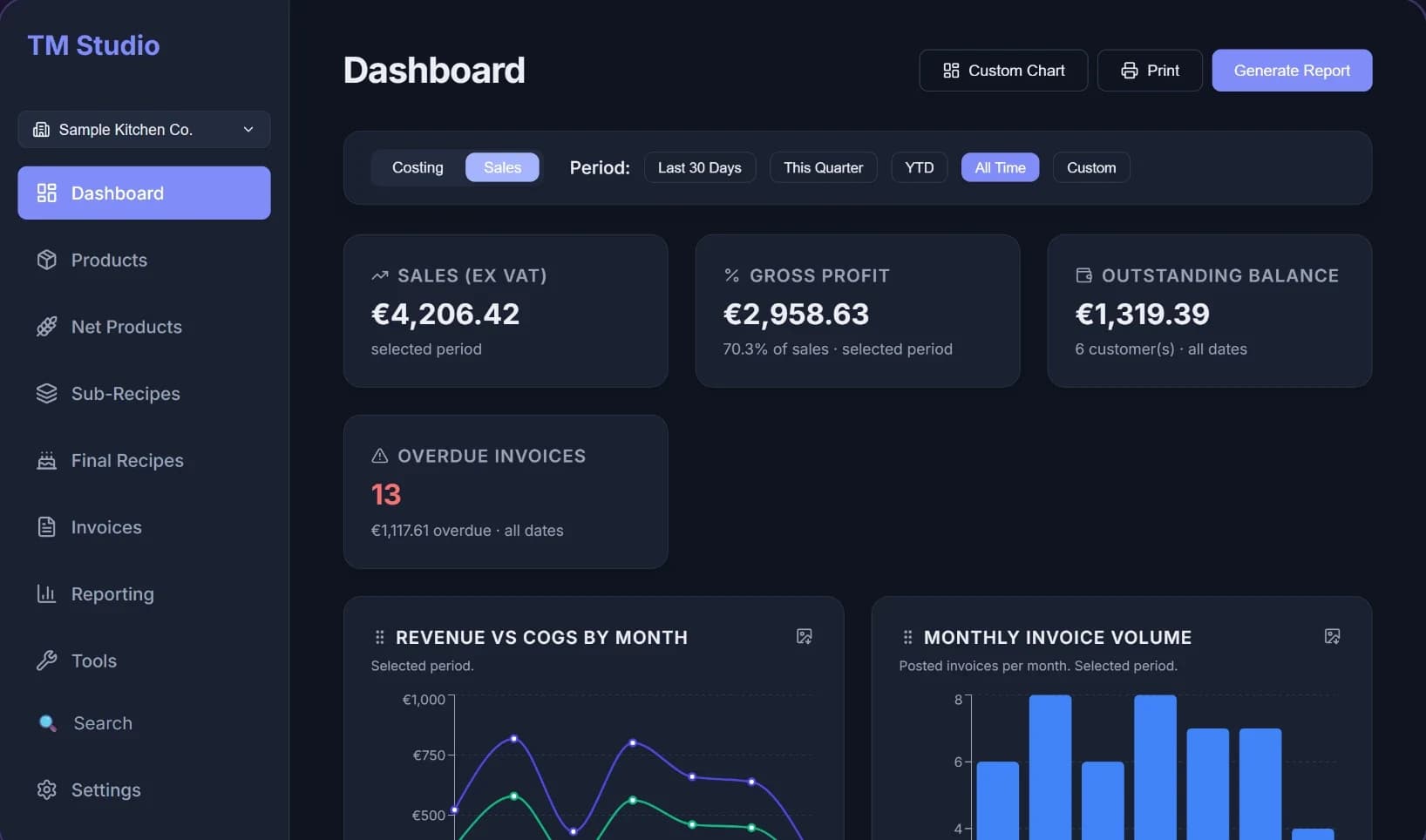
The Costing view shows which recipes are under-priced. The Sales view shows sales, cost of goods and who still owes you. Reports export to Excel and PDF.
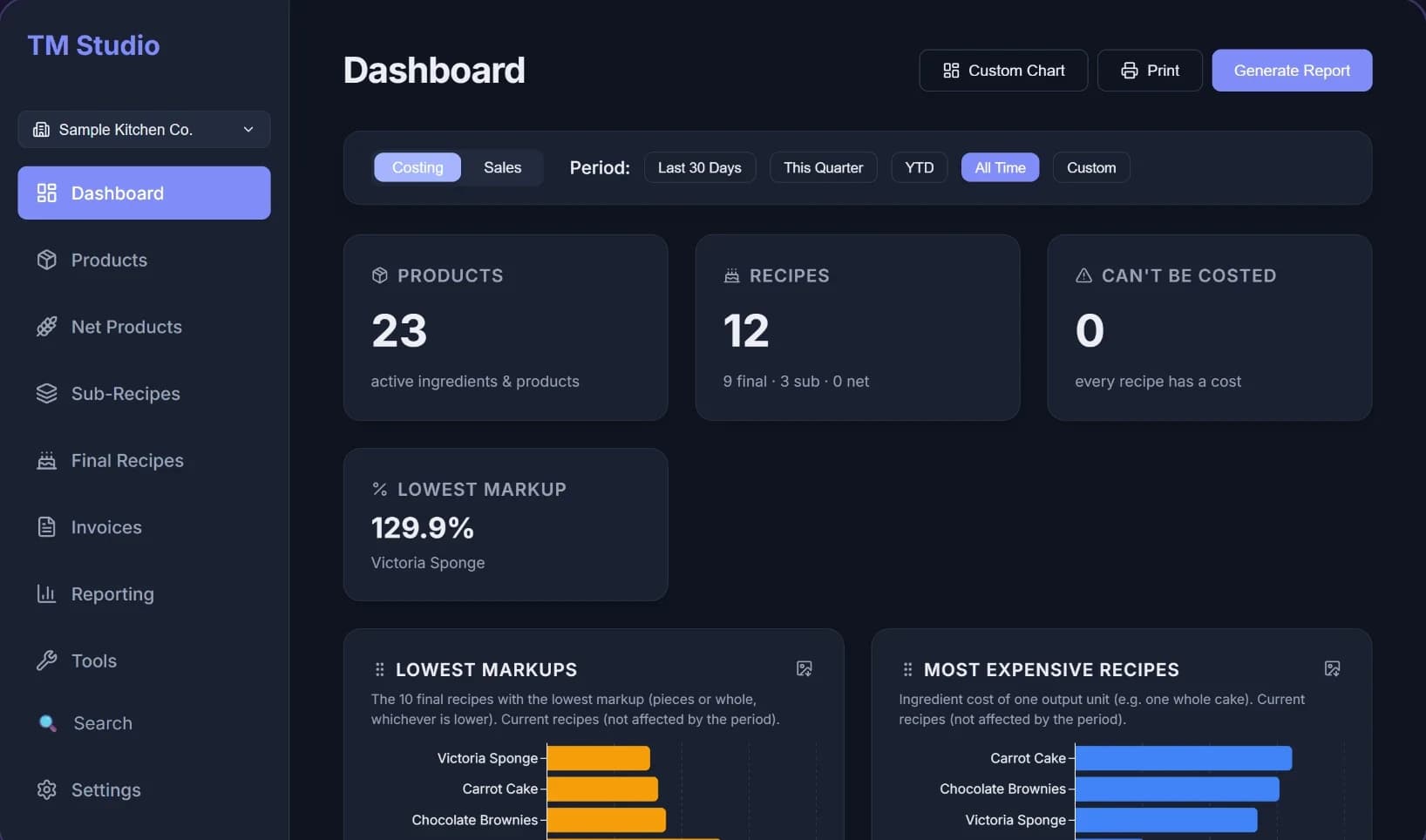
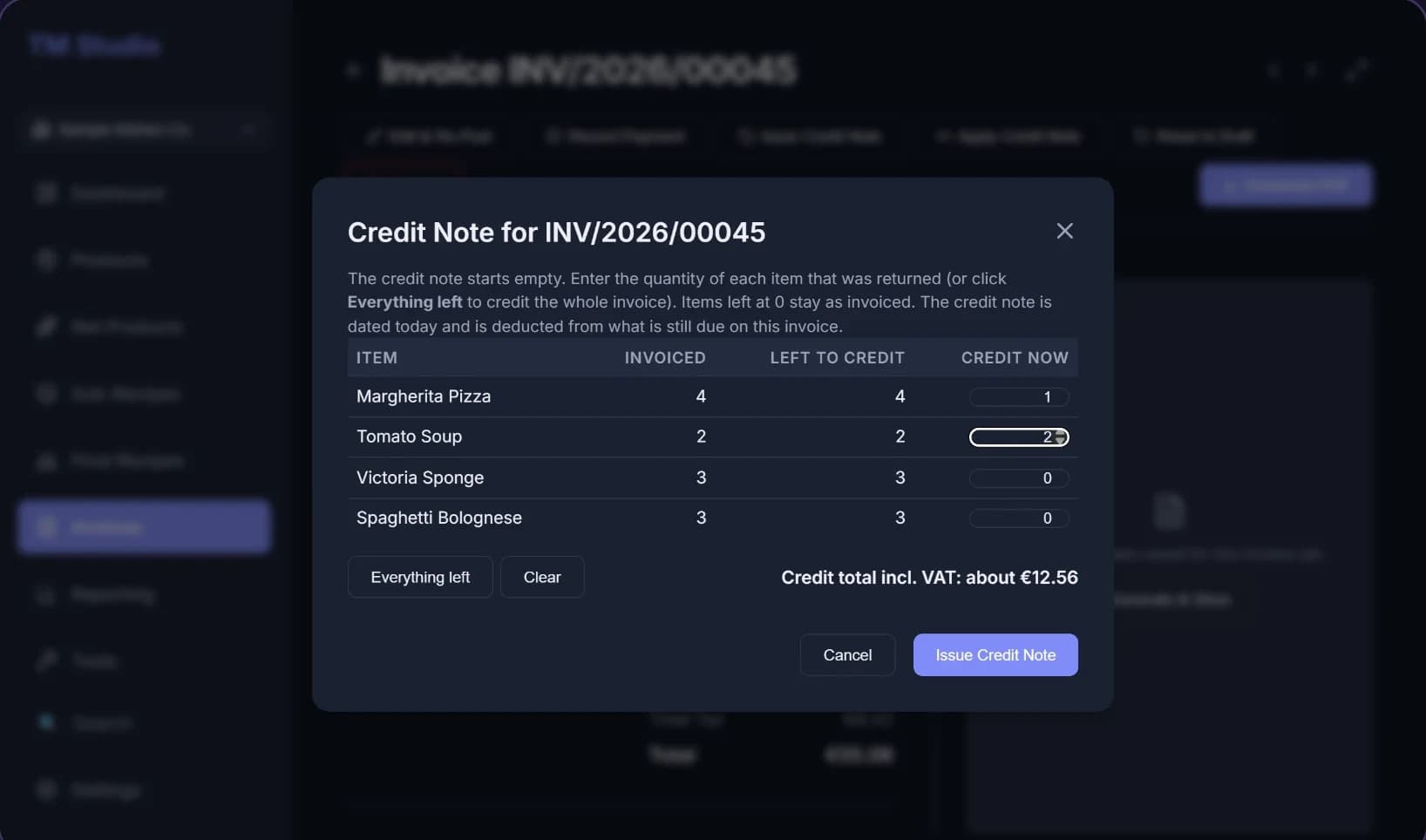
Credit notes done properly
Credit the whole invoice, only some items, or part of a quantity. The credit note is deducted from what the customer owes, and the cost of sales is reversed with it.
Follow the money
See your sales, your cost of goods and who still owes you in one view, and add your own custom charts.
See where the cost comes from
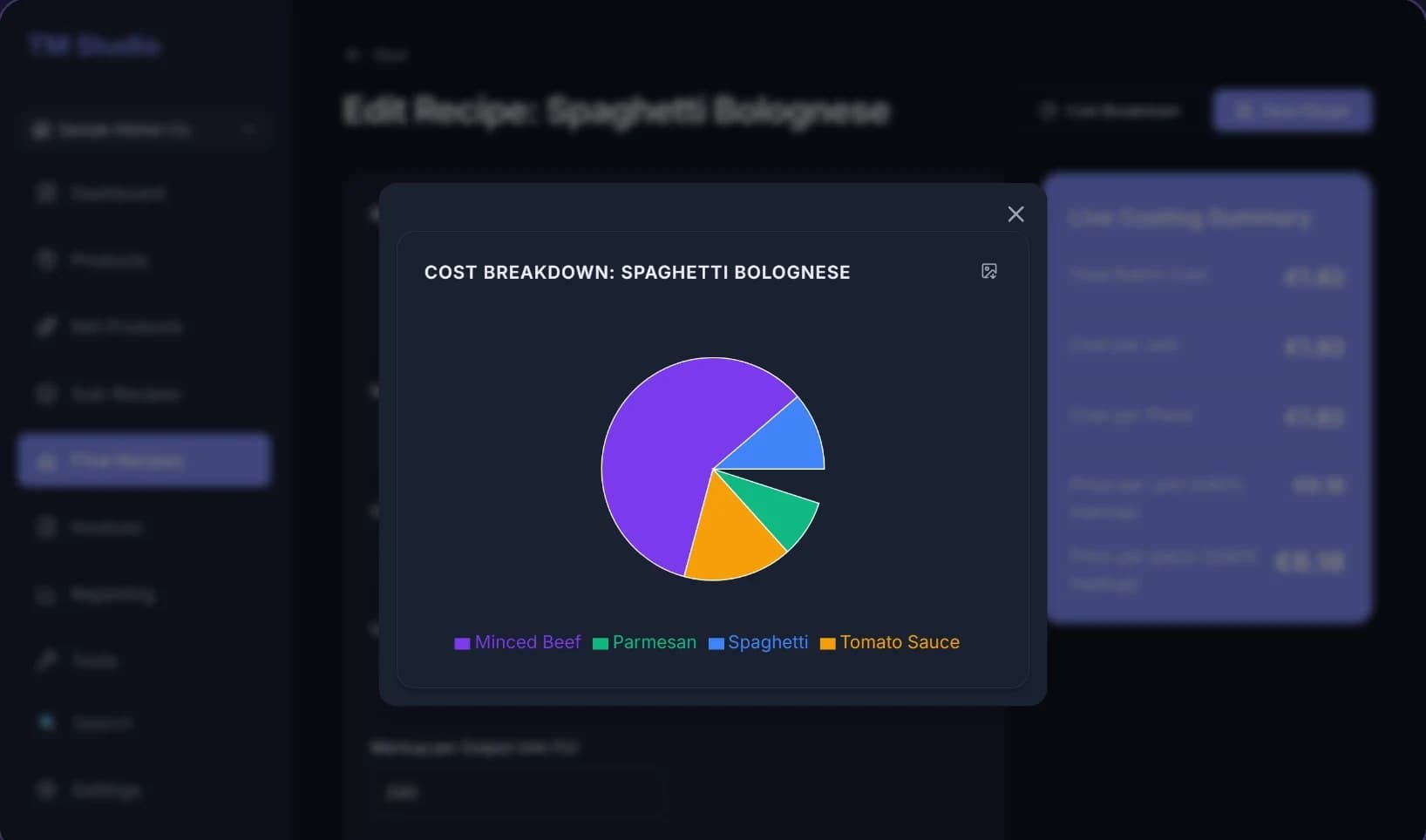
Break any recipe down to its ingredients, including trimming and baking loss, so its true cost is never a guess.
Key features
- Multi-level recipe costing: raw ingredients, sub-recipes and final products
- Automatic trim and baking-loss costing for prepared ingredients
- Sell the same recipe by the piece or as a whole batch, priced independently
- Bulk markup updates across your whole recipe catalogue
- Per-customer pricing for wholesale accounts
- Invoicing with VAT, drafts, partial payments and "Paid in Full" receipts
- Credit notes for whole invoices, single items or part of a quantity
- Dashboard with Costing and Sales views, custom charts, and Excel and PDF reports
- Shopping list generator and batch production planner
- Cost of sales calculated from your point-of-sale sales file
- Several companies in one install
- CSV import for products, recipes, customers, VAT rates, categories and invoices
- Automatic backups, one-click full backup and restore, undo and redo
- Light and dark mode
Who it's for
- Restaurants and cafes
- Bakeries and patisseries
- Cake designers and chocolatiers
- Caterers and small commercial kitchens
System requirements
- Windows 10 or Windows 11, 64-bit
- A web browser: the program opens in your normal browser and runs on your own PC
- Installing for all users asks for administrator approval; "Install for me only" does not
- TM Studio Recipe Costing for Windows 10 and 11 (64-bit)
- User manual, PDF
- All 1.x updates free
Buy from Microsoft Store, Gumroad or Etsy
Bought from Gumroad or Etsy? Windows may show "Windows protected your PC" the first time you install. Click More info, then Run anyway.
Questions
Is there a subscription?
No. You pay once. All 1.x updates are free.
Do I need the internet to use it?
No. It runs on your own PC and works offline. If you are online, it can check whether a new version exists by reading a small public file. Your recipes and customer data are never sent anywhere.
Where is my data stored?
In Documents\TM Studio on your own computer. Updating or uninstalling the program does not delete it.
Why does Windows show "Windows protected your PC"?
Windows can show this for new programs when you install from Gumroad or Etsy. Click More info, then Run anyway. If your antivirus asks, choose to allow the file. The Microsoft Store version does not show this message.
Can I try it first?
There is no trial. Refunds are handled by the store you buy from, under that store's own rules.
Does it work on a Mac?
No. It needs Windows 10 or Windows 11, 64-bit.